
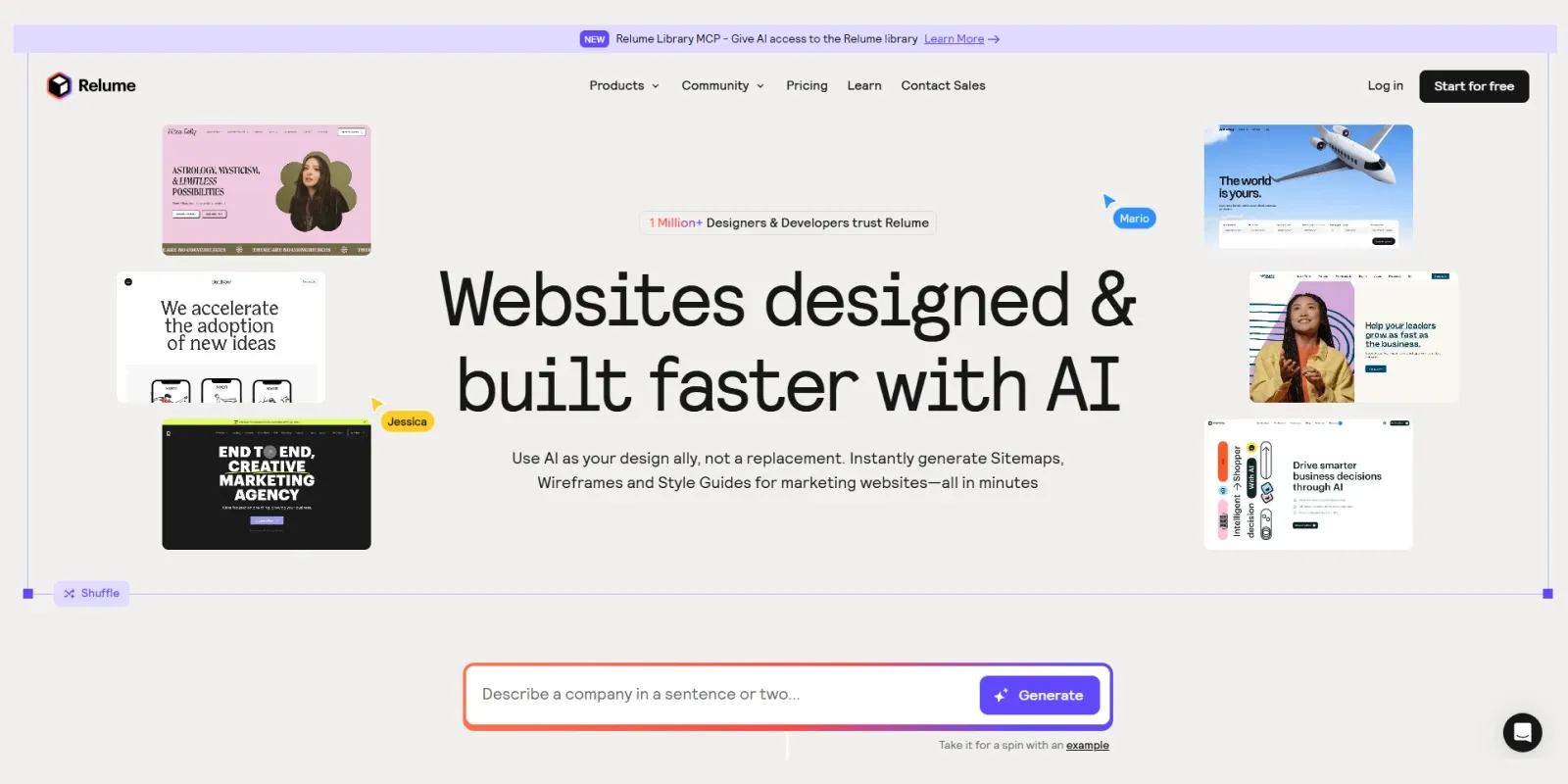

AI has changed the way websites are planned and designed. Instead of starting every project from a blank canvas, designers can now use AI to create a first draft, organize content, and explore different ideas much faster. Relume is one of the tools built around this workflow. It combines AI-powered sitemaps and wireframes with a large component library, style guide tools, and integrations with platforms such as Figma, Webflow, and React.
In this relume ai review, we’ll look at what Relume actually does, its main features, pricing model, pros and cons, and whether it’s a good fit for web designers, freelancers, and agencies. If you’re interested in exploring more AI-powered website tools, check out our AI Tools category.
Relume AI at a Glance
Relume AI is an AI website planning and design tool built mainly for web designers, freelancers, agencies, and development teams. Its core features include AI-powered sitemap generation, wireframing, and copywriting, along with a large library of Webflow and Figma components. Relume also supports Figma, Webflow, and React workflows, making it flexible for both design and development projects. It follows a freemium pricing model, with a Free plan and additional paid options. Relume is not a traditional hosting platform, so website hosting is not included.
What Is Relume AI?
Relume is an AI-powered website planning and design platform that helps users move from an initial idea to a structured website design. Its main workflow starts with an AI-generated sitemap. You can provide a few details about a company or project, and Relume can map out the key pages and sections. From there, the sitemap can be turned into wireframes using Relume’s component library.
For anyone reading this relume ai review, it’s important to know that the platform also includes AI copywriting and a Style Guide Builder. These features allow designers to work on content and visual direction before moving into detailed design or development. This makes Relume different from a traditional website builder where the main goal is simply to create and publish a finished website.
How Does Relume AI Work?
Relume’s workflow is relatively straightforward:
- Start with a description of the website or business.
- Generate an AI-powered sitemap.
- Review and edit the pages and sections.
- Turn the sitemap into wireframes.
- Generate or edit copy for the sections.
- Create a visual concept using the Style Guide Builder.
- Export the project to Figma, Webflow, or React depending on your workflow and plan.
The sitemap and wireframe views are connected, so changes made to sections can be reflected between the two views. Relume also allows users to create additional pages, global sections, and make manual edits instead of relying completely on AI.
Key Features of Relume AI
1. AI Sitemap Generator
A sitemap gives a website its basic structure, but creating one manually can take time. Relume allows you to describe your company and website requirements in a few sentences. Its AI can then suggest the key pages and sections needed for the project.
You can edit the generated sitemap afterward, so you’re not locked into the AI’s first suggestion. This is useful when you’re planning a website for a client and need to define the project’s scope before design or development begins.
2. AI Wireframe Generator
Once the sitemap is ready, Relume can turn it into wireframes with a single action. Rather than generating empty placeholder boxes, Relume uses its component library to create real website sections and can generate copy for the wireframes as well. You can then edit the sections, replace components, add new content, or make other changes manually.
This makes the wireframe stage much more practical for client presentations and early design discussions.
3. AI Copywriting
Relume also includes AI copywriting features that can generate content for wireframe sections. This is particularly useful when you need a realistic first draft instead of filling every section with placeholder text. However, AI-generated copy should still be reviewed and adjusted before it becomes the final website content.
4. Style Guide Builder
The Style Guide Builder is one of the more important parts of Relume’s current workflow. It can help generate design concepts around colors, typography, and UI styling. You can experiment with different visual directions and apply the selected style across the project. The resulting style guide can also be exported to Figma or Webflow.
For agencies and freelancers, this can make the transition from wireframe to visual design more organized.
5. Large Component Library
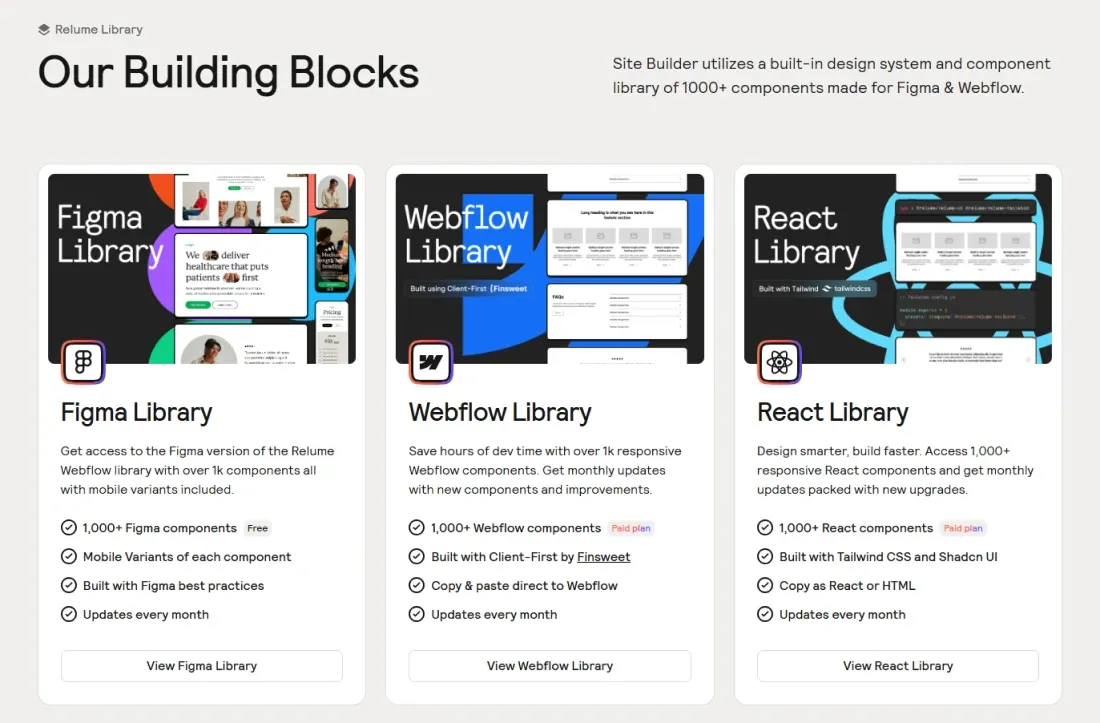
Relume has a large library of ready-made components for website design and development. Its current pricing page lists more than 1,500 Webflow and Figma components, while its React library provides 1,000+ React components on paid plans. The components are designed around Relume’s system and are updated regularly.
This is one of Relume’s biggest advantages because designers don’t have to create every common website section from scratch.
6. Figma Integration
Relume provides a Figma Plugin that allows users to import their sitemap, wireframes, and style guide concepts into Figma. The plugin can also bring AI-generated copy from the Site Builder into Figma. This creates a smoother workflow between the initial planning stage and detailed visual design.
7. Webflow Integration
Webflow users get an especially strong workflow with Relume. The Relume Webflow App can import a complete sitemap, individual pages, wireframes, sections, and style guides into Webflow. Relume also provides a Chrome Extension and Webflow Library for copying components directly into Webflow projects.
Relume’s Webflow components are built around Finsweet’s Client-First methodology, which can be useful for maintaining an organized Webflow project.
8. React Export
Relume is not limited to Figma and Webflow. Its Site Builder also supports React export on eligible plans. Users can export individual sections, pages, or an entire sitemap to React, making Relume useful for teams working with modern development workflows as well.
Relume AI Site Builder: Who Is It Best For?
Relume is mainly useful for people who already have some experience with website design or development.
Web Designers: Designers can use Relume to quickly create the structure and first wireframe of a project before moving into detailed visual design.
Freelancers: Freelancers can use the platform to speed up the early stages of client projects and prepare a clearer first draft.
Digital Agencies: Agencies can use sitemaps and wireframes to define project scope and present an early concept to clients.
Webflow Designers: Webflow users can benefit significantly from Relume’s component library and direct Webflow workflow.
Developers: Teams working with React can also use Relume as an early-stage design and structure tool before moving into development.
However, Relume may not be the ideal choice if your goal is simply to enter a prompt and publish a complete website without working with design or development tools.
Relume AI Price: Plans and Pricing
Relume uses a freemium pricing model, so you can start with a Free plan and upgrade when you need more projects, pages, components, or export capabilities.
The Free plan includes limited access to the Site Builder and component library, while paid plans provide more extensive access to wireframe pages, projects, components, AI usage, and export options. The current plan structure also includes options for individual professionals and teams.
Relume AI vs Other AI Site Builders
Relume is slightly different from many AI website builders. In this relume ai review, it’s important to understand that tools such as Wix and other all-in-one builders focus more on generating a website that users can edit and publish within the same platform.
Relume focuses more heavily on the planning and design workflow. Its AI can create a sitemap and turn that structure into wireframes, while its Style Guide Builder helps establish the visual direction. From there, the project can move into Figma, Webflow, or React depending on the user’s workflow.
That makes Relume particularly interesting for professionals who want AI assistance without handing over complete control of the design process.
Relume AI Review from Dockdino: Our Words
In this relume ai review, we found that Relume is not simply an AI tool that generates a website from one prompt. Its real strength is the workflow connecting website planning, wireframing, visual direction, and development. The combination of AI-generated sitemaps, wireframes, copy, style guides, and a large component library can make the early stages of a website project much more organized.
We also like the fact that Relume doesn’t force designers to accept everything generated by AI. You can edit the sitemap, change sections, replace components, adjust the visual direction, and continue the project in the tools you already use. For Webflow and Figma designers, this makes Relume particularly compelling. Its React support also gives it more flexibility for development-focused workflows.
Our Words: After completing this relume ai review, the Dockdino Team believes Relume is a powerful choice for designers who want to streamline website planning and wireframing without giving up control over the final design.
How to Get Started with Relume AI
Getting started with Relume is simple:
- Visit the official Relume website and create an account.
- Start a new Site Builder project.
- Enter a short description of your company or website.
- Generate and review the AI sitemap.
- Edit the pages and sections as needed.
- Generate wireframes from the sitemap.
- Add or edit copy and components.
- Create a style concept if needed.
- Export the project to Figma, Webflow, or React according to your workflow.
Relume also provides documentation and learning resources covering its Site Builder, Figma Plugin, Webflow App, Style Guide, and other tools.
Frequently Asked Questions
1. What is Relume AI?
Relume AI is an AI-powered website planning and design tool that helps create sitemaps, wireframes, copy, and style guides for website projects.
2. Is Relume AI free to use?
Yes. Relume offers a Free plan with limited features. Paid plans provide more projects, pages, components, and export options.
3. Is Relume AI good for Webflow?
Yes. As discussed in our relume ai review, Relume works particularly well with Webflow and provides components, a Webflow App, and export options to streamline the design-to-development workflow.
4. Is Relume AI worth it?
Based on our relume ai review, it is worth considering for designers, freelancers, and agencies who want to speed up website planning and wireframing.
Conclusion
Relume is a strong AI-powered website planning and design platform for people who want to move faster without losing control of the design process. Its AI sitemap generator, wireframe tools, copywriting features, Style Guide Builder, and large component library make it useful for freelancers, agencies, Webflow designers, Figma users, and development teams.
It is not the same type of tool as a simple one-click website builder. Instead, Relume fits into a professional workflow where planning, design, and development are separate but connected stages.
If you are looking for an relume ai review to decide whether the platform is right for you, Relume is definitely worth trying if you already work with Figma, Webflow, or React. The Free plan gives you an opportunity to explore the platform before deciding whether the additional features of a paid plan are right for your workflow.