
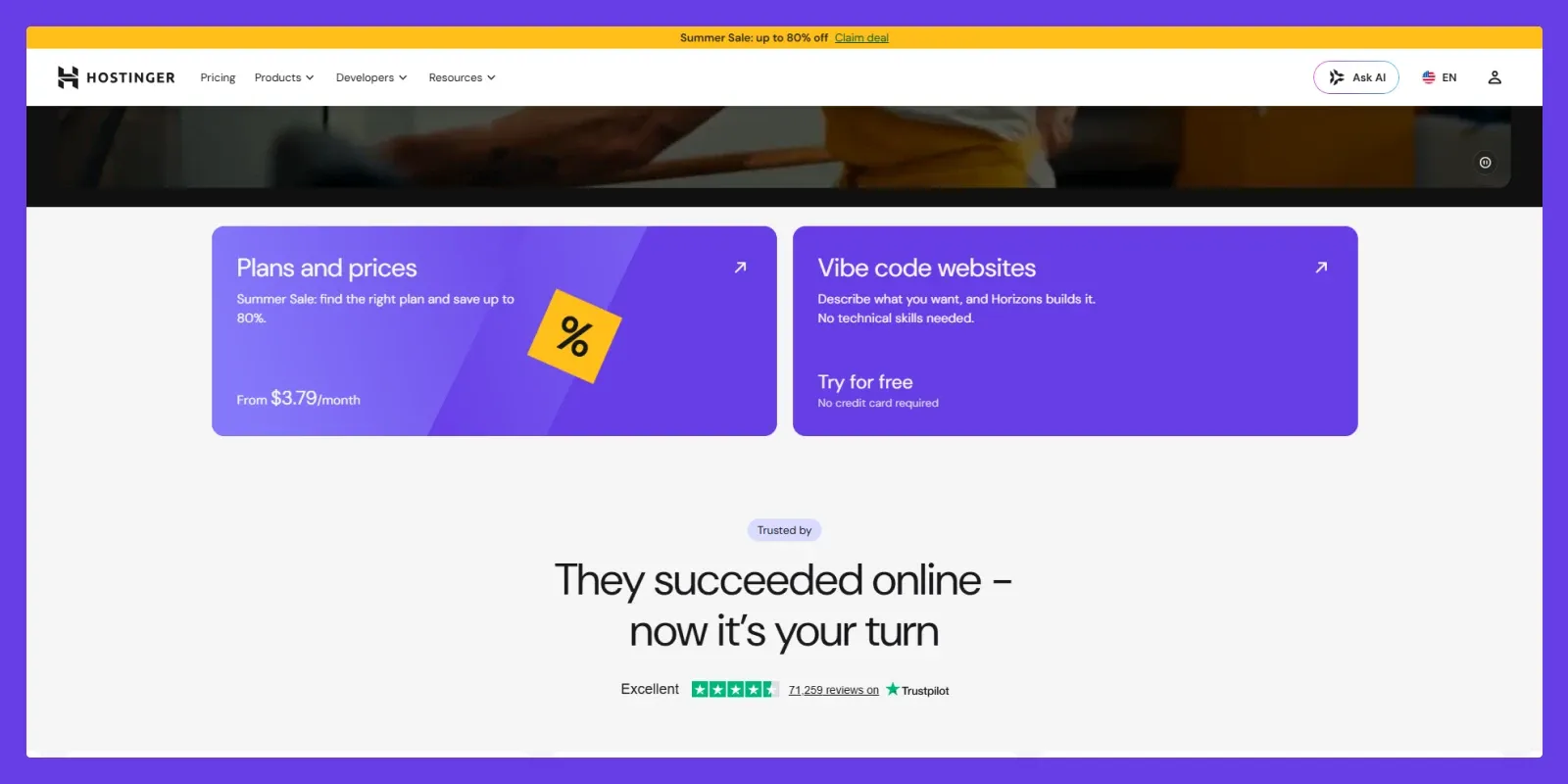

Choosing the right web hosting provider can be difficult, especially when you’re launching your first blog, affiliate website, portfolio, or small business site. You want reliable performance, useful features, good support, and a price that doesn’t stretch your budget too far. That’s where Hostinger has built its reputation. It offers affordable web hosting with a beginner-friendly control panel, WordPress tools, SSL, backups, CDN options, website migration, and several AI-powered features.
In this Hostinger Hosting Review, we’ll look beyond the promotional pricing and examine its features, performance, ease of use, WordPress experience, security, support, pricing, pros and cons, and who should actually use it. Our goal is simple: to help you decide whether Hostinger is a good fit for your website, not simply tell you that it’s the “best” hosting provider.
What Is Hostinger?
Hostinger is a web hosting company offering shared web hosting, managed WordPress hosting, cloud hosting, VPS hosting, domains, and website-building tools. Its main strength is combining beginner-friendly management with relatively affordable pricing. Instead of requiring users to manage complicated server configurations, Hostinger provides its custom hPanel, automated tools, WordPress management features, backups, security options, and support from one dashboard.
For beginners, bloggers, freelancers, creators, and small businesses, this approach can make launching and managing a website considerably easier.
Key Features of Hostinger
Hostinger offers a broad collection of features, although the exact resources available depend on the hosting plan you choose.
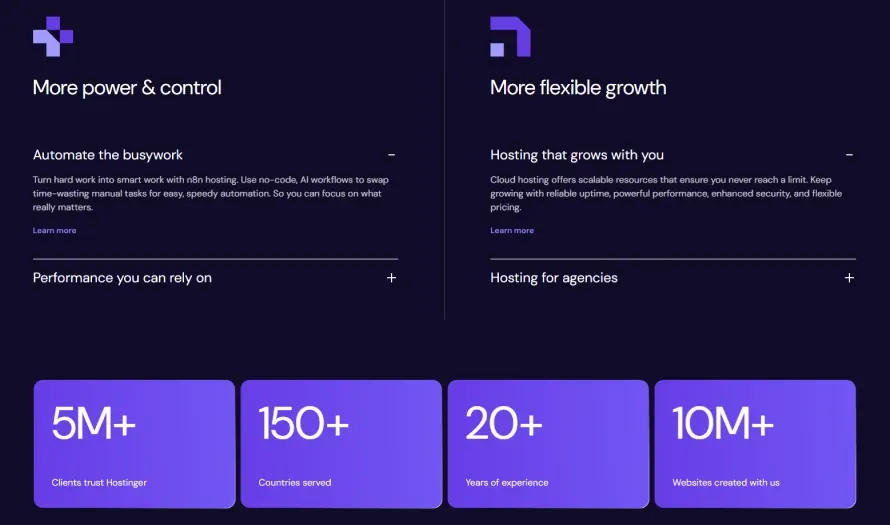
LiteSpeed-Based Hosting
Hostinger uses LiteSpeed technology on its managed hosting infrastructure. This can provide strong performance for WordPress websites, especially when combined with proper caching, optimized images, lightweight themes, and a well-configured website. For WordPress users, Hostinger also provides caching and performance tools designed to help websites load faster.
Free SSL
SSL certificates are included with Hostinger hosting plans, helping protect data transferred between visitors and your website. For a modern website, HTTPS is essential, so having SSL included rather than requiring a separate purchase is a useful advantage.
Free Domain on Eligible Plans
Hostinger includes a free domain for one year with eligible hosting subscriptions. However, domain availability and eligibility can depend on the plan and subscription term. That’s why it’s worth checking the current plan details before purchasing.
Custom hPanel
One of Hostinger’s biggest advantages for beginners is its custom hPanel. Instead of the traditional cPanel interface, hPanel provides a more modern dashboard for managing websites, domains, email, databases, files, WordPress, backups, and other hosting settings. The interface is designed to reduce unnecessary technical complexity, which is particularly useful for first-time website owners.
Website Migration
Already have a website hosted somewhere else?
Hostinger offers free website migration services for eligible hosting customers, including WordPress websites. As noted in our Hostinger Hosting Review, its migration service makes switching providers easier without requiring you to manually move every file and database yourself. This can be especially helpful for beginners moving from an older or more expensive hosting provider.
Backups
Backup availability depends on the hosting plan. For example, the current Premium plan includes weekly backups, while higher plans such as Unlimited and Cloud Startup include daily backups. This is an important distinction because backup frequency can matter significantly for business websites and frequently updated blogs.
Hostinger Performance and Speed
Performance is one of the most important factors when choosing hosting. Hostinger’s use of LiteSpeed technology, caching, CDN options, and optimized hosting infrastructure gives it a strong foundation for fast-loading websites.
However, hosting alone does not determine website speed. Your WordPress theme, plugins, image sizes, database, scripts, traffic levels, and website configuration can all affect performance.
For example, a lightweight WordPress website with optimized images and caching can perform significantly better than a poorly optimized website using dozens of resource-heavy plugins—even when both websites use the same hosting provider.
So, in this Hostinger Hosting Review, we wouldn’t recommend promising a specific loading time for every website. Instead, Hostinger should be viewed as a hosting platform with the infrastructure and tools needed to achieve good performance when the website itself is properly optimized.
Is Hostinger Good for SEO?
Hostinger can provide a good technical foundation for SEO because it supports HTTPS, caching, CDN features, fast server technology, and WordPress optimization tools. But hosting does not automatically improve your Google rankings. Your content quality, site structure, technical SEO, backlinks, Core Web Vitals, mobile experience, and search intent all play important roles.
Hostinger hPanel: Is It Easy to Use?
For beginners, hPanel is one of Hostinger’s strongest features. The dashboard keeps important website management tools in one place. Depending on your plan, you can manage:
- Websites
- Domains
- WordPress
- Databases
- File Manager
- Backups
- Security
- Website migration
- Performance settings
- Website-building tools
The interface is much less intimidating than many traditional hosting dashboards. If you’re launching your first WordPress blog or affiliate website, this simplicity can save a lot of time.
Hostinger for WordPress
Hostinger is particularly attractive for WordPress users. Its managed WordPress hosting includes tools for installation, automatic updates, caching, security, backups, and website management. Hostinger also states that its WordPress hosting is recommended by WordPress.org.
For bloggers and affiliate marketers, this combination is useful because you can focus more on publishing content and growing your website rather than dealing with complicated server administration.
Hostinger also provides WordPress migration services, making it easier to move an existing WordPress website from another hosting provider. If you’re running a normal blog, portfolio, affiliate website, or small business website, Hostinger’s WordPress hosting should provide more than enough tools to get started.
Hostinger Hosting Plans and Pricing
Hostinger’s pricing changes depending on the promotion, subscription length, region, and plan. At the time of our review, its main web hosting options include Premium, Unlimited, and Cloud Startup.
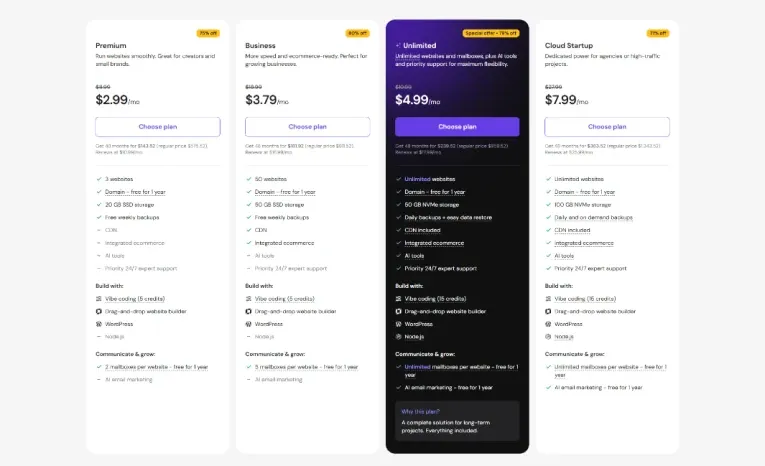
*Promotional pricing is based on a 48-month term and can change. Renewal prices are higher. Current official pricing lists Premium at $2.99/mo renewing at $10.99/mo, Unlimited at $3.79/mo renewing at $16.99/mo, and Cloud Startup at $7.99/mo renewing at $25.99/mo.
Which Hostinger Plan Should You Choose?
Premium: Best for a new blog, portfolio, personal website, or small project that doesn’t need many websites.
Unlimited: A better choice if you’re planning to manage multiple websites or need more storage and features.
Cloud Startup: Better suited to growing businesses, resource-demanding websites, and projects that need more dedicated resources.
For a beginner launching a single content website, starting with the lower-cost plan can make more sense than paying for resources you don’t currently need.
Don’t Ignore Renewal Pricing
This is one of the most important things to understand before buying Hostinger. The introductory price can look extremely attractive, but the regular renewal price is considerably higher. Therefore, don’t judge the total cost of hosting solely by the promotional monthly rate.
If you plan to use Hostinger for several years, calculate the total cost—including renewal—before making your final decision.
Hostinger Security and Backups
Security is another important part of this Hostinger Hosting Review. Hostinger provides several security-related features depending on the plan, including SSL certificates, malware scanning, Web Application Firewall on managed WordPress plans, DDoS protection, secure account-management tools, and automatic backups. Higher-tier plans can include enhanced security features. However, no hosting provider can completely protect a poorly secured website.
WordPress users should still:
- Use strong passwords
- Enable two-factor authentication
- Keep WordPress updated
- Update themes and plugins
- Remove unused plugins
- Use reputable themes and plugins
- Maintain independent backups for important websites
Hostinger provides useful security tools, but website owners still have responsibilities.
Hostinger Customer Support
Hostinger Hosting Review also highlights its 24/7 customer support through live chat, along with a large library of tutorials and guides. For beginners, this combination is useful because many common WordPress and hosting questions can often be solved through the available documentation without waiting for an agent.
Live chat is particularly helpful when you encounter hosting-related problems that are difficult to troubleshoot yourself. One limitation worth mentioning is that Hostinger does not focus on traditional phone-based support. Users who strongly prefer speaking with support representatives over the phone may find this less convenient.
Hostinger Website Migration
Switching hosting providers can be stressful, especially if you have an existing WordPress website. Hostinger offers free migration services for eligible hosting plans and says its migration service can handle WordPress and other websites. Its official migration service also emphasizes keeping the existing website live during the migration process.
This is a useful feature for anyone who wants to move away from an expensive or less beginner-friendly host. For a website with important traffic or revenue, however, it’s still wise to create your own backup before starting any migration.
Who Should Use Hostinger?
Hostinger is a particularly good fit for:
1. New Bloggers
If you’re launching your first blog and want affordable hosting with an easy control panel, Hostinger is a strong option.
2. Affiliate Marketers
Affiliate websites usually don’t need expensive infrastructure when they’re starting out. Hostinger provides enough tools for many small and growing affiliate projects.
3. Small Businesses
Local businesses, service providers, freelancers, and small online brands can benefit from Hostinger’s combination of hosting, SSL, email, website tools, and WordPress support.
4. WordPress Users
If you’re building your website with WordPress, Hostinger’s managed WordPress features make the platform particularly convenient.
5. Website Creators Managing Multiple Sites
Higher plans can support multiple websites and provide additional resources, making Hostinger useful for freelancers and creators managing several projects.
Who Shouldn’t Use Hostinger?
Hostinger isn’t necessarily the right choice for everyone. You may want to consider a more powerful hosting solution if you operate:
- A very high-traffic website
- A large-scale eCommerce store
- A resource-intensive web application
- A project requiring specialized server configurations
- A website that needs dedicated infrastructure from the beginning
For these types of projects, cloud hosting, VPS, or dedicated infrastructure may offer better control and scalability.
Hostinger Hosting Review: Our Final Words
After reviewing its pricing, features, performance, WordPress tools, security, and support, our Hostinger Hosting Review finds it a strong budget-friendly option for beginners and small businesses. Its easy-to-use hPanel, LiteSpeed hosting, WordPress tools, and migration services offer excellent value.
However, renewal prices are higher, and entry-level plans have some limitations. For blogs, affiliate websites, portfolios, and small businesses, Hostinger remains a solid choice for getting started.
Best for: Beginners, bloggers, affiliate marketers, freelancers, creators, and small businesses.
Bottom Line: Hostinger isn’t perfect, but it offers one of the better combinations of affordability, ease of use, performance features, and beginner-friendly tools for websites starting on a budget.
Check Hostinger’s Current Plans & Pricing →
Frequently Asked Questions
Is Hostinger good for beginners?
Yes. Hostinger is particularly beginner-friendly because of its simple hPanel, WordPress tools, website migration services, automated features, and 24/7 live chat support.
Is Hostinger good for WordPress?
Yes. Hostinger Hosting Review shows that its managed WordPress hosting includes features such as automatic updates, caching, security tools, backups, and WordPress-focused management tools.
Is Hostinger fast?
Hostinger uses LiteSpeed-based hosting and provides caching and CDN features on applicable plans. However, actual website speed depends on your theme, plugins, images, code, traffic, and overall optimization.
Does Hostinger offer a free domain?
Yes, eligible hosting plans include a free domain for one year. The exact eligibility depends on the plan and subscription.
Does Hostinger offer a money-back guarantee?
Yes. Hostinger advertises a 30-day money-back guarantee on its hosting services.
Is Hostinger worth it?
For beginners, bloggers, affiliate marketers, and small businesses, Hostinger can be worth considering because it combines affordable introductory pricing with a beginner-friendly interface and a broad set of hosting features. Just make sure you understand the renewal price before purchasing.
Reviewed by the Dockdino Team
Our reviews focus on features, usability, pricing, performance considerations, and overall value so readers can make more informed decisions.
Affiliate Disclosure: Hostinger Hosting Review article may contain affiliate links. If you purchase Hostinger through our links, Dockdino may earn a commission at no additional cost to you. Our opinions remain independent, and we aim to provide honest and useful information to help you make the right decision.