

SEO is evolving faster than ever. In the past, website optimization focused mainly on improving Google rankings. Today, visibility extends beyond traditional search engines, as content also needs to be discoverable by AI-powered platforms like ChatGPT, Claude, Gemini, and Perplexity. That’s where ThinkRank comes in.
In this ThinkRank Review, we’ll examine how this AI-powered WordPress SEO plugin combines traditional SEO with Generative Engine Optimization (GEO) to help websites increase their visibility across both Google Search and AI-driven search experiences. We’ll cover its key features, performance, AI capabilities, migration options, pricing, and compare it with established plugins like Rank Math and Yoast SEO. If you’re searching for the best AI SEO plugin with MCP Server for WordPress, this review will help you decide whether ThinkRank is the right choice for your website.
What is ThinkRank?
In this ThinkRank Review, we found that ThinkRank is an all-in-one AI-powered SEO plugin developed by WPDeveloper, the team behind popular WordPress products like Essential Addons for Elementor, NotificationX, BetterDocs, and Templately.
Unlike traditional SEO plugins that mainly focus on Google rankings, ThinkRank combines classic SEO with Generative Engine Optimization (GEO). This allows websites to optimize not only for search engines but also for AI assistants and answer engines.
Its goal is simple:
- Improve Google rankings
- Optimize content for AI search
- Make your website easier for AI models to understand and cite
- Simplify SEO management using AI-powered automation
Who Should Use ThinkRank?
ThinkRank is designed for:
- Bloggers
- Affiliate marketers
- Small businesses
- Agencies
- WooCommerce stores
- Content creators
- SEO professionals
- Website owners preparing for AI Search
If you’re building websites that need long-term visibility in both Google Search and AI-powered search experiences, ThinkRank is worth considering.
ThinkRank WordPress SEO Plugin Features
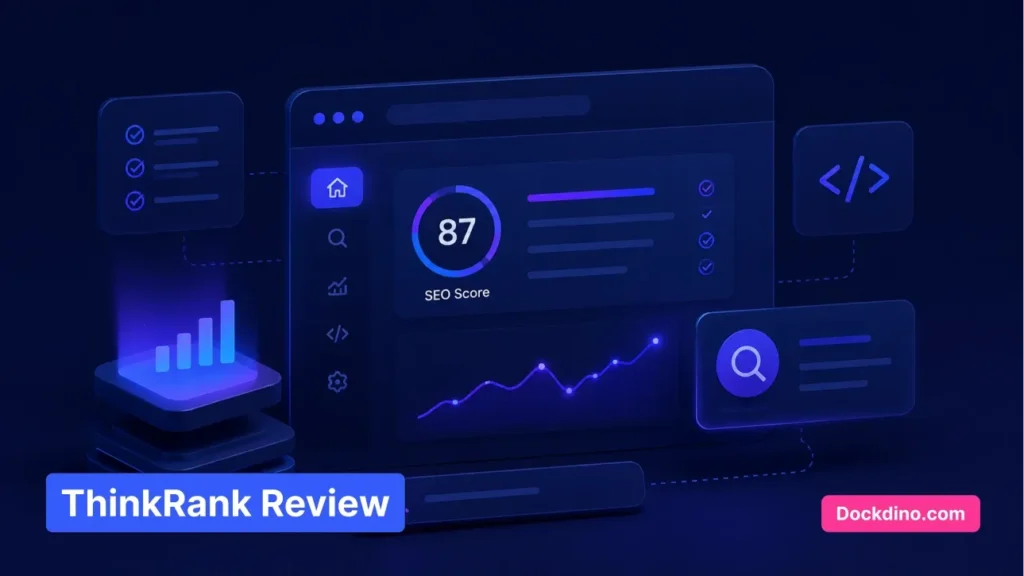
One of the biggest strengths of ThinkRank is its balance between traditional SEO and modern AI optimization.
Built-in MCP Server
Perhaps the most unique feature is its built-in Model Context Protocol (MCP) Server. Instead of manually editing SEO titles, meta descriptions, schema, or page settings, you can connect ThinkRank with AI assistants like ChatGPT or Claude.
Using natural language commands, you can instruct your AI assistant to:
- Update SEO titles
- Change meta descriptions
- Edit schema markup
- Optimize pages
- Improve SEO settings
This dramatically speeds up SEO workflows for agencies and advanced WordPress users.
Automatic llms.txt Generator
One of ThinkRank’s standout features is its automatic llms.txt generator. If you’ve been searching for How to set up llms.txt in WordPress using ThinkRank, the answer is refreshingly simple. ThinkRank automatically creates and maintains the file for you.
The llms.txt file helps AI systems understand:
- Which content should be accessed
- Preferred crawling instructions
- Citation guidance
- Website structure
As AI-powered search continues to grow, this feature could become increasingly valuable.
Bring Your Own AI Key (BYOK)
Unlike many AI plugins that lock users into monthly credits, ThinkRank allows you to connect your own API. Supported providers include:
- OpenAI
- Claude
- Gemini
- OpenRouter
This Bring Your Own Key (BYOK) model gives users full control over usage and costs while avoiding hidden subscription limits.
ThinkRank Review: Traditional SEO Essentials
Despite its AI focus, ThinkRank doesn’t ignore traditional SEO. It includes:
- XML Sitemaps
- Schema Markup
- Canonical URLs
- Open Graph Metadata
- Robots controls
- Meta Title & Description Management
- 13-Factor SEO Score
- Social Sharing Optimization
These features make it capable of replacing most traditional SEO plugins.
Google Analytics & Search Console Integration
ThinkRank integrates with:
- Google Search Console
- Google Analytics 4 (GA4)
Instead of switching between multiple dashboards, users can monitor important SEO insights directly inside WordPress.
This helps track:
- Search impressions
- Clicks
- Keywords
- Traffic
- Performance trends
One-Click SEO Migration
Switching SEO plugins often scares website owners because of metadata loss. ThinkRank simplifies the process with one-click migration from:
- Rank Math
- Yoast SEO
- SEOPress
Titles, descriptions, and SEO settings can be imported without rebuilding everything manually.
ThinkRank vs Rank Math
Many users searching for ThinkRank vs Rank Math wonder whether switching makes sense.
| Feature | ThinkRank | Rank Math |
|---|---|---|
| Traditional SEO | ✅ | ✅ |
| AI Search Optimization | ✅ | Limited |
| Built-in MCP Server | ✅ | ❌ |
| llms.txt Generator | ✅ | ❌ |
| Bring Your Own AI Key | ✅ | Limited |
| AI Workflow Automation | ✅ | Limited |
| Migration Tool | ✅ | ✅ |
Rank Math remains an excellent SEO plugin for traditional optimization. However, ThinkRank introduces features focused on the future of search, particularly AI visibility and Generative Engine Optimization.
Performance
In our ThinkRank Review, performance was another area that stood out. A powerful SEO plugin should not slow down your website, and ThinkRank appears lightweight with a clean codebase. Since AI functions only activate when needed and API requests happen externally, the plugin generally avoids unnecessary server overhead. For performance-conscious website owners, this is a significant advantage.
Pricing & ThinkRank Lifetime Deal Review
In this ThinkRank Review, one of the most common questions is whether a ThinkRank Lifetime Deal is available. If a Lifetime Deal is offered, it can provide excellent long-term value by allowing users to pay once instead of recurring yearly subscription fees. However, availability depends on WPDeveloper’s promotional campaigns and may not always be available.
Even without a Lifetime Deal, ThinkRank’s BYOK approach can significantly reduce ongoing AI costs since you’re only paying your AI provider for actual API usage instead of purchasing monthly AI credits from the plugin itself.
Frequently Asked Questions
Can ThinkRank replace Yoast or Rank Math?
Yes. ThinkRank includes traditional SEO essentials such as XML sitemaps, schema markup, meta controls, canonical URLs, Open Graph support, analytics integration, and one-click migration from both Yoast SEO and Rank Math.
Do I need to pay extra for AI?
According to our ThinkRank Review, the plugin’s basic SEO functionality works without any additional AI costs. However, AI-powered features like MCP workflows require your own OpenAI, Claude, Gemini, or OpenRouter API key. Your overall cost depends on how much you use those APIs.
Why is llms.txt important?
The llms.txt file is designed for AI crawlers. It helps systems like ChatGPT, Claude, Gemini, and other AI assistants understand how your content should be discovered, interpreted, and potentially cited. As AI-powered search grows, llms.txt may become an increasingly useful part of technical SEO.
Final Words
ThinkRank is more than just another WordPress SEO plugin. It combines everything users expect from a modern SEO solution with features specifically designed for the next generation of search. Traditional optimization tools, AI-ready workflows, automatic llms.txt generation, built-in MCP Server, and flexible API integration make it one of the most forward-thinking SEO plugins currently available.
Based on our ThinkRank Review, this plugin is an excellent choice for website owners preparing for both Google Search and AI-powered discovery through ChatGPT, Claude, Gemini, and Perplexity. While plugins like Rank Math and Yoast remain strong options for traditional SEO, ThinkRank stands out with its AI-first approach and future-ready optimization features.
Based on our ThinkRank Review, it’s clear that website owners looking for a future-ready SEO strategy without sacrificing traditional optimization should seriously consider ThinkRank.
ThinkRank Reviewed by the Dockdino Team
At Dockdino, we evaluate WordPress plugins based on usability, performance, long-term value, SEO capabilities, and real-world practicality to help website owners choose tools that genuinely improve their websites.