
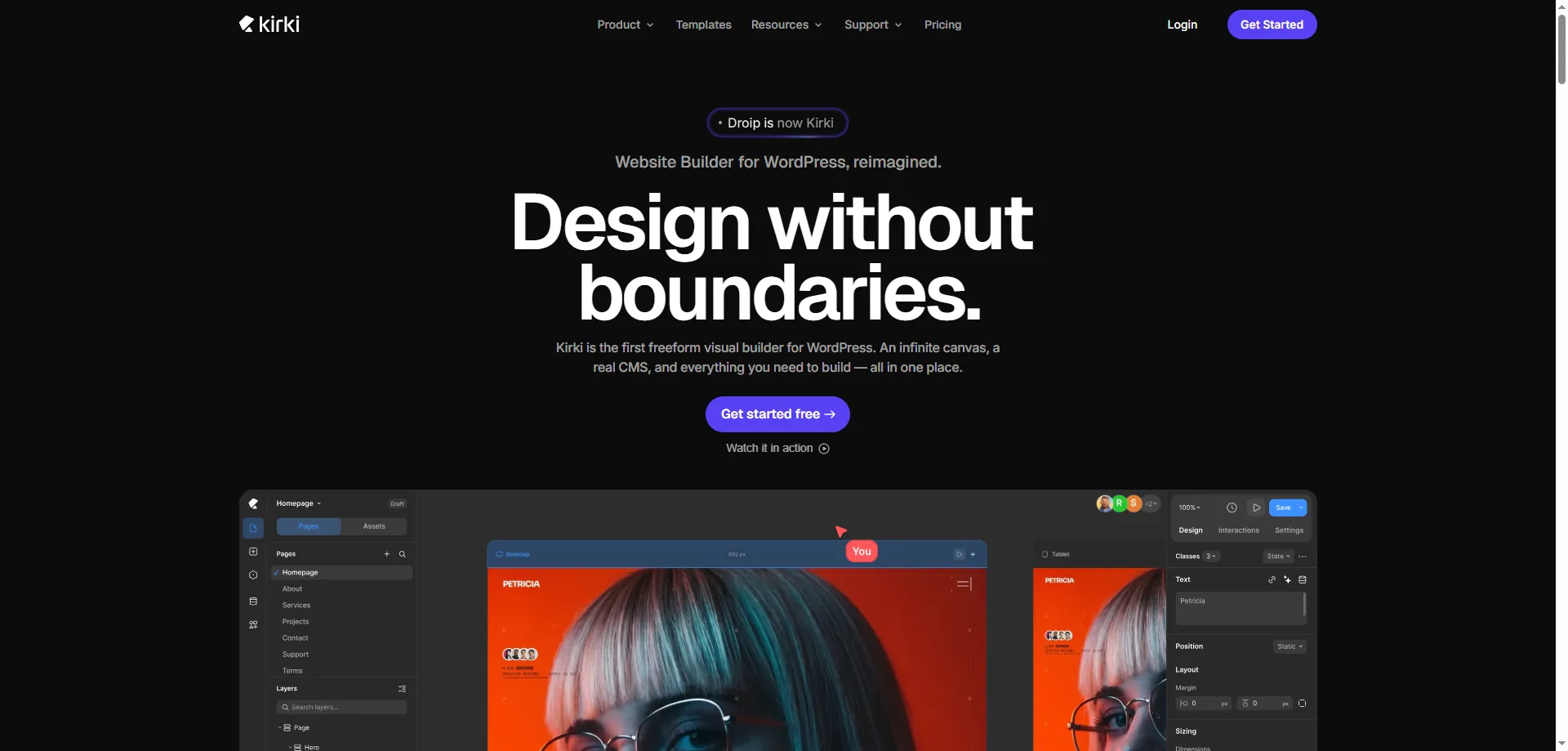

Kirki Review 2026: Kirki has evolved from a simple WordPress Customizer framework into a complete visual website builder. Instead of relying on traditional drag-and-drop rows and columns, it offers a freeform canvas where you can design websites with greater creative freedom. It is aimed at freelancers, agencies, bloggers, and business owners who want to build modern WordPress websites without writing code.
Key Features
- Import & Export support
- Freeform visual website builder
- Drag-and-drop editor
- Responsive editing
- 35+ Customizer controls
- Form builder
- Popup builder
- Dynamic CMS (Pro)
- Figma import
- Real-time collaboration
- 100+ premium templates (Pro)
Kirki Review: How Does Kirki Work?
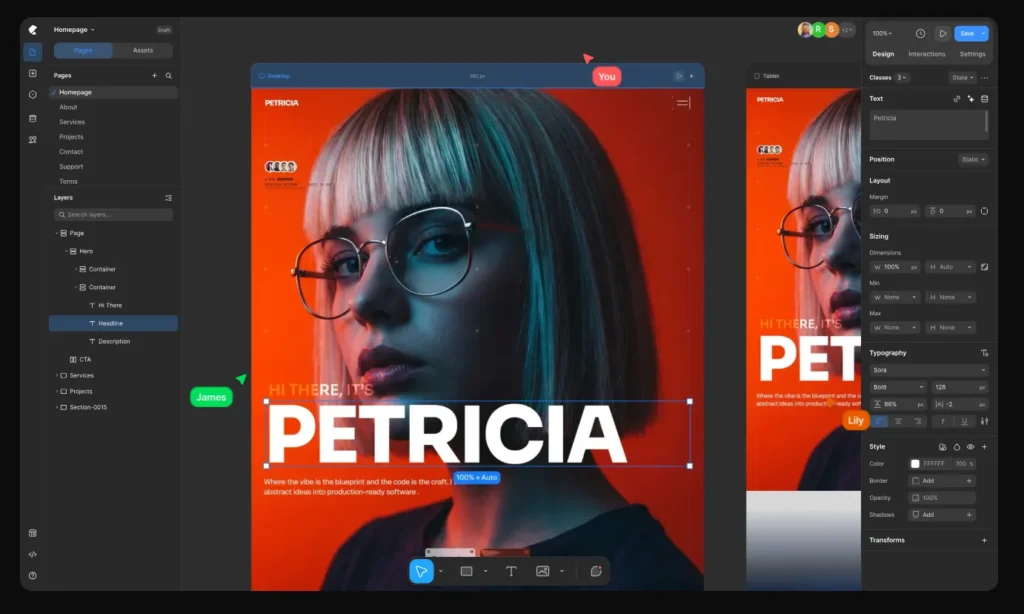
Kirki works as a visual website builder inside WordPress, allowing you to design and customize your website without writing code. You can start with a blank canvas or choose a ready-made template, then edit different elements directly through the visual interface. The freeform canvas gives you more control over where elements are placed, while responsive controls let you adjust the design for different screen sizes. Once your design is ready, you can preview the changes and publish the website directly from WordPress. This workflow makes Kirki useful for users who want more creative control without dealing with complex coding.
Design Flexibility & Customization
One of Kirki’s biggest advantages is the level of design freedom it provides. Instead of being restricted to a traditional row-and-column layout, users can position and customize elements more freely on the canvas. You can adjust typography, colors, spacing, layouts, and other visual elements to match your brand. Its responsive editing options also make it easier to create designs that look good across desktops, tablets, and mobile devices. Combined with its template library and reusable components, Kirki gives designers, freelancers, and agencies plenty of flexibility when creating different types of WordPress websites.
Kirki vs Traditional WordPress Builders
Traditional WordPress page builders generally use predefined rows, columns, sections, and containers to structure a page. Kirki takes a different approach with its freeform visual editing system, giving users more freedom over element placement and overall layout. This can be particularly useful for designers who want to create more unique website layouts rather than relying heavily on predefined structures. However, users who are already comfortable with conventional WordPress builders may need some time to adapt to Kirki’s workflow. Ultimately, the better choice depends on whether you prefer structured page building or a more flexible visual design experience.
Kirki Review 2026: 100+ Premium Website Templates
During our Kirki Review 2026, the Dockdino Team found that one of Kirki’s standout strengths is its library of 100+ professionally designed premium website templates. These templates cover a wide range of industries and include responsive layouts, pre-built pages, and reusable components to help users launch websites faster. Every template can be fully customized using Kirki’s freeform visual builder, allowing you to personalize colors, typography, layouts, and branding without coding. For beginners, freelancers, and agencies, this extensive template collection can significantly reduce design time while maintaining a polished, professional look.
Built-in App Integrations
Kirki comes with 20+ built-in app integrations that make connecting essential services quick and hassle-free. From Mailchimp for email marketing to Google Search Console for website insights, you can integrate popular tools directly within the builder without relying on extra third-party plugins. This streamlined approach saves time and keeps your website workflow simple and efficient.
Who Should Use Kirki?
Kirki is a good choice if you:
- Want a modern no-code website builder
- Need more creative design freedom than traditional page builders
- Build websites for clients
- Like Framer-style editing inside WordPress
- Need responsive design and dynamic content
Who Should Avoid Kirki?
Kirki may not be the best option if you:
- Only need a simple blog
- Prefer traditional page builders like Elementor
- Want a mature ecosystem with thousands of add-ons
- Need maximum compatibility with older themes
Kirki Review 2026 Overview
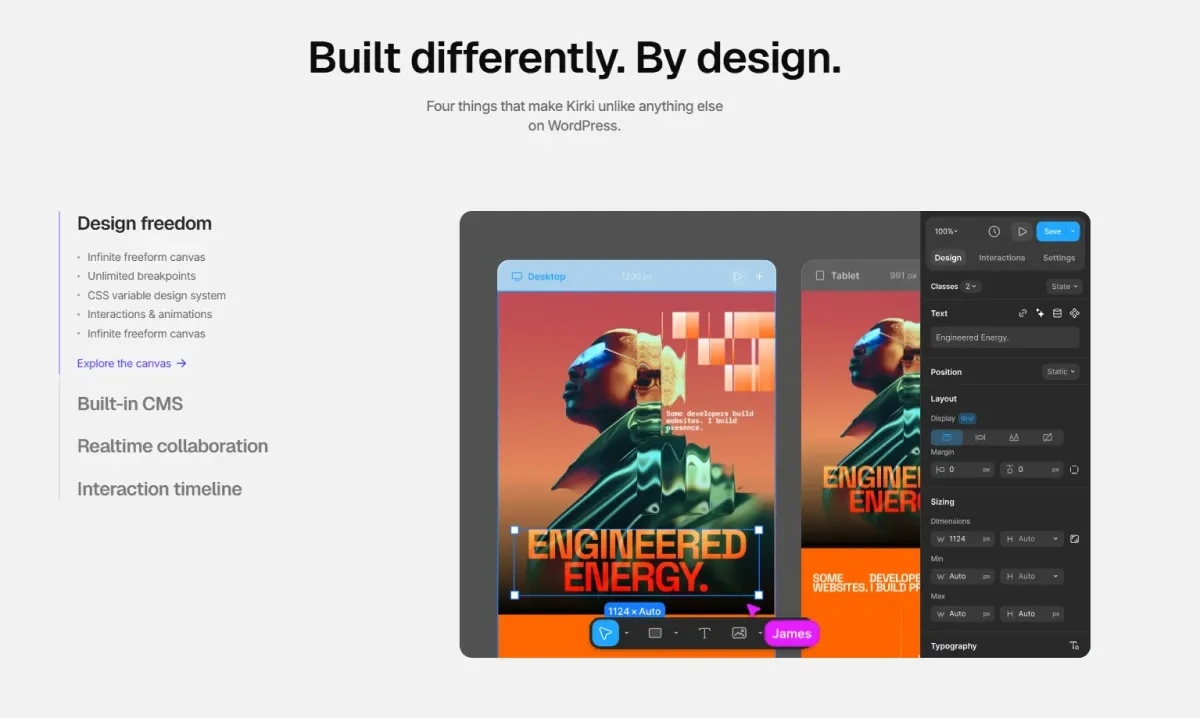
If you’re searching for an honest Kirki Review 2026, you’ve come to the right place. Kirki has evolved from a popular WordPress Customizer framework into a modern visual website builder, offering a freeform editing experience for creating professional websites without coding. In this review, we’ll explore Kirki’s features, pricing, performance, ease of use, pros and cons, and overall value to help you decide whether it’s the right website builder for your next WordPress project.
Kirki Pricing & Plans
Kirki offers both free and premium plans, giving users the flexibility to choose an option based on their website-building needs. The free version is a good starting point for beginners who want to explore the core features, while premium plans provide access to advanced tools, premium templates, dynamic content, and additional features. Freelancers and agencies can also benefit from higher-tier plans when working on multiple or more advanced projects. Overall, Kirki’s pricing structure makes it easy to start for free and upgrade when you need more powerful website-building capabilities.
Essential Kirki Review 2026 FAQ
1. Is Kirki free to use?
Yes. Kirki offers both free and premium version that includes the core website-building features. If you need advanced tools like premium templates, dynamic content, and collaboration features, you can upgrade to a paid plan.
2. Is Kirki a WordPress framework or a website builder?
Kirki was originally known as a WordPress Customizer framework, but it has evolved into a visual WordPress website builder. Today, it focuses on helping users design websites with a modern no-code editing experience.
3. Who should use Kirki?
Kirki is ideal for bloggers, freelancers, agencies, designers, and small businesses looking for a flexible WordPress website builder without requiring coding skills.
4. Is Kirki worth using?
Yes. Kirki is worth considering if you want a modern visual website builder with responsive editing and creative design freedom. While it is still growing compared to some established builders, it offers a solid set of features for building professional WordPress websites.
Final Words
Kirki has transformed into a powerful visual website builder for WordPress. Its freeform editing experience, responsive controls, collaboration features, and modern workflow make it an excellent choice for designers and agencies. While the learning curve is slightly steeper than traditional page builders, its flexibility and growing feature set make it one of the most promising WordPress builders available today.
Users who relied on the original lightweight Customizer framework should note that the product has changed significantly, but new users looking for a modern no-code builder may find it a compelling option.
The Dockdino Team regularly reviews WordPress tools, website builders, plugins, and hosting services to help you make informed decisions. If you found this Kirki Review 2026 helpful, explore more expert reviews and in-depth guides from the Dockdino Team to discover the best tools for building and growing your website.