

Traditional PDF files are useful for sharing digital content, but they can feel somewhat limited when you’re trying to showcase products, catalogs, brochures, magazines, or e-books in an online store. A Flipbook WooCommerce solution can turn those static PDFs into engaging, interactive, page-flipping experiences that feel much more like reading a real book.
For WooCommerce store owners, this can be particularly useful when you want customers to preview digital products before purchasing them. Instead of simply displaying a download button, you can let visitors browse selected pages, explore the content, and then encourage them to purchase the full product.
In this guide, we’ll explore how a WooCommerce flipbook works, why it can be useful for an online store, which features to look for, and how to choose the right flipbook solution for selling digital content.
What Is a Flipbook WooCommerce Plugin?
A Flipbook WooCommerce plugin combines an interactive PDF flipbook with a WooCommerce-powered store. Instead of showing a PDF as a basic document viewer, the plugin converts it into a digital book-style interface where visitors can turn pages, zoom in on content, and browse the document directly from their browser.
This can work especially well for:
- Digital books and e-books
- Product catalogs
- Magazines
- Brochures
- Lookbooks
- Restaurant menus
- Product guides
- Company presentations
- Educational materials
The biggest advantage is that customers can interact with your content without leaving the product page or opening a separate PDF viewer.
Why Use a Flipbook in Your WooCommerce Store?
A flipbook isn’t necessary for every WooCommerce website. If you’re selling simple downloadable files, a standard WooCommerce digital product may be enough. However, an interactive flipbook can make a significant difference when the presentation of your content is part of the buying experience. If you need WooCommerce integration and gated previews, you can check TNC FlipBook 3D’s current pricing to see whether its features match your requirements.
1. Create a More Powerful Engaging Product Experience
A page-flipping interface feels more interactive than a standard PDF viewer. Customers can browse through your catalog or book before deciding whether it’s worth purchasing.
2. Showcase Products More Effectively
Businesses selling multiple products can use a WooCommerce product catalog flipbook to present collections in a more organized and visually appealing format.
For example, a fashion store could use a seasonal lookbook, while a furniture business could create an interactive product catalog.
3. Offer Free Previews
One of the most useful features for digital product sellers is gated content. Instead of giving visitors access to an entire PDF, you can allow them to read a limited number of pages before asking them to purchase the full product. This gives potential customers enough content to understand what they’re buying without giving away the entire digital product.
4. Improve Mobile Reading
A modern WooCommerce PDF flipbook plugin should provide a responsive reading experience across desktop, tablet, and mobile devices. This is important because customers may discover your products from smartphones rather than traditional desktop computers.
5. Make Digital Products Look More Professional
A well-designed Flipbook WooCommerce solution can give digital publications a more professional and polished presentation. For publishers, creators, and businesses selling premium digital content, that presentation can become part of the overall product experience.
How Does a WooCommerce Flipbook Work?
The process is relatively simple when you use a plugin that supports WooCommerce integration.
A typical setup looks like this:
- Upload your PDF to WordPress.
- Convert the PDF into an interactive flipbook.
- Create a WooCommerce product for the digital content.
- Connect the flipbook with the WooCommerce product.
- Set which pages visitors can preview.
- Lock the remaining pages behind a purchase.
- After checkout, give the customer access to the complete content.
This setup is particularly useful for e-books, premium magazines, digital catalogs, and other products where customers benefit from seeing a preview before purchasing.
How to Profitably Sell Digital Catalogs on WooCommerce
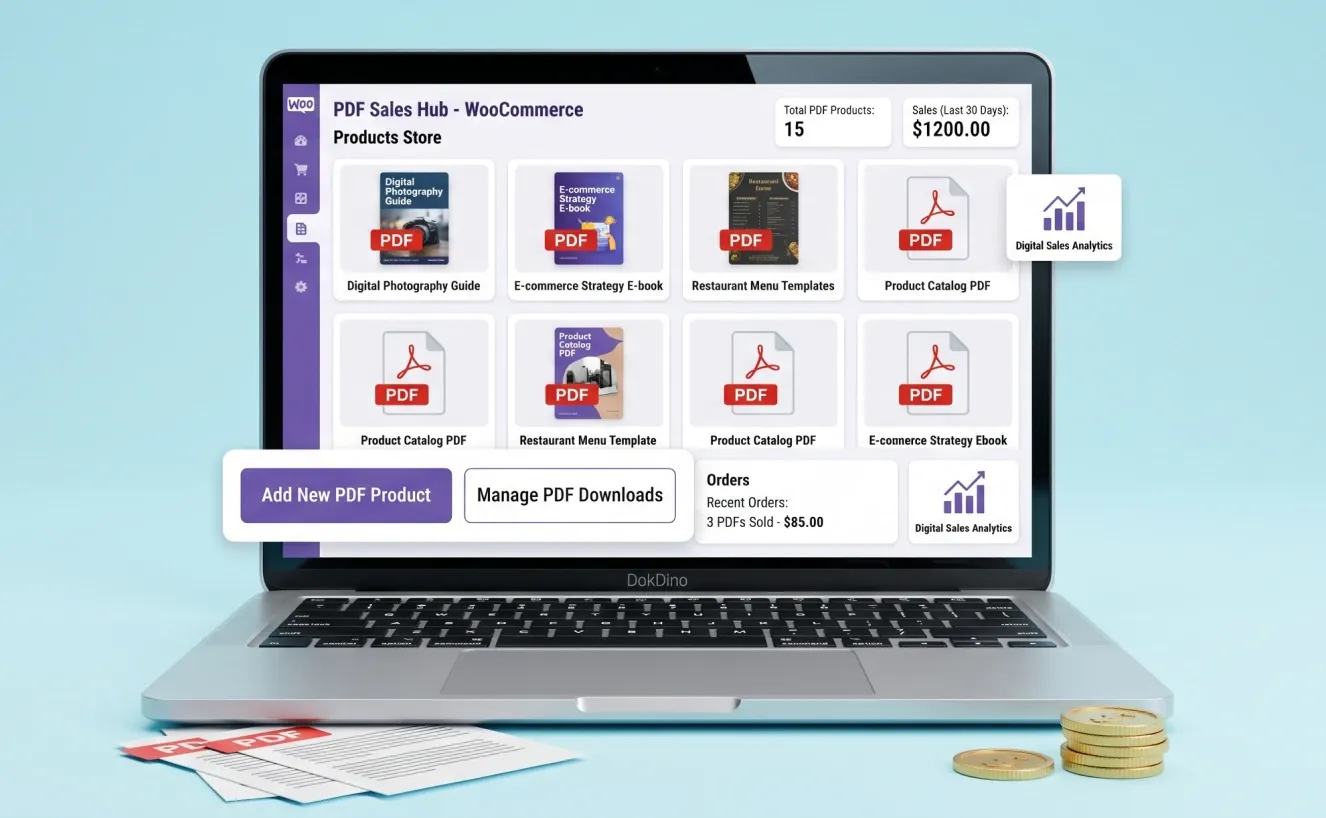
If you’re selling digital books, magazines, catalogs, or other PDF-based products, a WooCommerce flipbook can do more than simply display the document. Some flipbook plugins allow you to connect the flipbook to a WooCommerce product and restrict access to the full content until the customer completes a purchase.
How Gated Flipbook Previews Work
Suppose you’re selling a 100-page digital book. Instead of giving visitors access to the entire PDF, you can make the first few pages available as a free preview. When visitors reach the locked section, they can be asked to purchase the corresponding WooCommerce product to unlock the complete content.
This practical approach can be useful for:
- Paid e-books
- Digital magazines
- Premium catalogs
- Reports and guides
- Educational publications
- Downloadable business resources
Some plugins, including TNC FlipBook 3D, support this type of WooCommerce-based gated access. However, the exact features and setup process can vary between plugins, so it’s worth checking what each option includes before choosing one.
Why Gated Previews Can Be Useful
Gated previews give potential customers an opportunity to see what they’re buying before making a purchase. At the same time, they allow sellers to keep the majority of their paid content restricted. This can be particularly useful for digital products where content preview is an important part of the buying decision.
Key Features to Look For in a WooCommerce Flipbook
Before choosing a plugin, it’s worth looking beyond the impressive page-flipping animation itself.
WooCommerce Integration
The plugin should work smoothly with WooCommerce products and provide a practical way to connect digital content with purchases.
Gated Content
If you’re selling PDFs, the ability to show selected preview pages while restricting the rest of the document can be extremely useful.
Responsive Design
The flipbook should remain usable on smartphones, tablets, and desktop screens.
PDF Support
A good plugin should make it straightforward to turn existing PDF files into interactive flipbooks without requiring complicated technical work.
Content Protection
Digital content can never be completely protected from copying or screenshots, but access controls and gated previews can make unauthorized access more difficult.
Performance Options
Large PDF files can contain hundreds of high-resolution images. A good flipbook solution should therefore provide a reasonable balance between visual quality and loading performance.
Flipbook WooCommerce Pricing: What Should You Expect?
The cost of a Flipbook WooCommerce solution depends on the features and plugin you choose. Some WordPress flipbook plugins offer free versions with basic PDF viewing and flipbook functionality, while advanced features such as WooCommerce integration, gated content, Password Protection, content protection, and analytics may require a paid plan.
If you only need to display PDFs or catalogs, a free or lightweight option may be enough. However, if you plan to sell digital publications, offer page previews, or connect flipbooks directly with WooCommerce products, you may need a premium solution.
Before choosing a plugin, compare the features included in the free and paid versions and make sure you’re paying only for functionality your store actually needs.
Top Features of a Great WooCommerce Flipbook Plugin
Not every flipbook plugin offers the same features. If you’re planning to use a flipbook with WooCommerce, look beyond the visual page-flip effect and consider how well the plugin fits your store’s needs.
| Feature | What to Check |
|---|---|
| WooCommerce Integration | Can it connect flipbooks with WooCommerce products? |
| PDF Support | Can you easily convert existing PDFs? |
| Gated Previews | Can you lock pages until purchase? |
| Mobile Support | Does it work well on smartphones and tablets? |
| Performance | Can large PDFs be handled efficiently? |
| Content Protection | Are access-control features available? |
| Pricing | Are the required features included in your plan? |
Choosing the right plugin depends on your needs. If you’re selling digital PDFs, prioritize WooCommerce integration, gated previews, mobile compatibility, performance, and pricing rather than focusing only on the visual page-flip effect.
Pros and Cons of Using a Flipbook for WooCommerce
Like any WordPress plugin, a Flipbook WooCommerce solution isn’t perfect for every website.
Pros
- Creates a more interactive PDF-reading experience
- Makes digital catalogs and publications more visually appealing
- Can connect digital content with WooCommerce products
- Allows sellers to offer gated previews
- Useful for e-books, magazines, catalogs, and brochures
- Provides a more professional presentation than a basic PDF link
- Can work across desktop and mobile devices
Cons
- Large, image-heavy PDFs may affect loading performance
- Advanced WooCommerce selling features may require a premium plugin
- A flipbook can be unnecessary for simple downloadable files
- Digital content cannot be made completely impossible to copy
- Some advanced features may require additional configuration
The main takeaway is simple: Flipbook WooCommerce is most valuable when presentation and content preview are important parts of the buying process.
Who Should Use a WooCommerce Flipbook?
A flipbook isn’t limited to publishers. Many different types of businesses can use this format.
It can be particularly useful for:
Digital publishers: Sell e-books, magazines, and premium publications.
Online stores: Create interactive product catalogs and seasonal collections.
Fashion brands: Showcase lookbooks and product collections.
Furniture businesses: Present product ranges through interactive catalogs.
Course creators: Display course guides, workbooks, or downloadable educational materials.
Agencies and businesses: Share company brochures, reports, and presentations.
If customers need to browse through multiple pages before deciding to purchase, a Flipbook WooCommerce solution can be a useful addition to your store.
Frequently Asked Questions
Q: Can I sell a PDF as a WooCommerce product?
Yes. With a compatible WooCommerce flipbook plugin, you can connect digital PDF content to WooCommerce products and provide customers with access after purchase.
Q: Can I show only a few pages before purchase?
Yes, plugins that support gated previews can allow visitors to view selected pages before restricting access to the remaining content.
Q: Will a Flipbook slow down my website?
It can, particularly when you’re using very large PDFs or high-resolution images. Optimizing your PDF files and choosing a performance-conscious plugin can help reduce the impact.
Q: Does a WooCommerce Flipbook work on mobile devices?
Modern flipbook plugins are generally designed to work across desktop, tablet, and mobile screens. However, it’s still important to test your actual flipbook on different devices before publishing it.
Q: Is a Flipbook better than a normal PDF?
Not always. A standard PDF is often enough for simple downloads. A flipbook becomes more useful when you want an interactive presentation, product preview, or magazine-style reading experience.
Q: What is the best Flipbook plugin for WooCommerce?
The right choice depends on your requirements. If your priority is selling digital PDFs with WooCommerce and offering gated previews, TNC FlipBook 3D is one option worth considering. However, it’s always a good idea to compare its features, pricing, and limitations with other available plugins before making a decision.
Final Words: Is Flipbook WooCommerce Worth It?
A Flipbook WooCommerce setup can be a smart choice if you’re selling digital products where presentation and preview experience matter.
For simple PDF downloads, you probably don’t need a flipbook. But if you’re selling e-books, magazines, brochures, product catalogs, or other visually rich digital publications, an interactive flipbook can make your store feel more engaging and professional.
Our recommendation is to start with your actual needs rather than adding a flipbook simply because it looks impressive. If customers benefit from browsing and previewing your content before purchasing, a flipbook WooCommerce can be a valuable addition to your store.
Our Words: After reviewing the use case, the Dockdino Team believes a WooCommerce flipbook is best suited to digital sellers who want to turn static PDFs into a more interactive shopping experience. If your store only needs basic PDF downloads, a simpler solution may be more practical. For businesses that rely on catalogs, e-books, magazines, or other visual digital content, a flipbook can be a worthwhile addition to the customer experience.
[…] premium publications that are better experienced online, an interactive solution such as TNC FlipBook 3D can offer an alternative to simply sharing a raw PDF download link. The most effective approach […]
[…] you sell digital products, you can also look at FlipBook WooCommerce as another way to showcase PDF-based items in your […]