

Reading a plain PDF on a website can feel very different from reading a physical book or magazine. A WordPress flipbook with sound can make digital publications more interactive by combining page-turn animations with audio feedback.
Instead of simply scrolling through a PDF, visitors can flip through pages using clicks, swipes, or touch gestures while hearing a subtle page-turn sound. This can create a more book-like experience for magazines, catalogs, brochures, portfolios, menus, reports, and other digital publications.
In this guide, we will explain what a WordPress flipbook with sound is, how page-turn audio works, the advantages and limitations of using sound, how to add it to a WordPress website, and what to consider when choosing a flipbook plugin.
Table of Contents
What Is a WordPress Flipbook With Sound?
A WordPress flipbook with sound is an interactive document viewer that combines page-flipping animations with audio effects. Instead of displaying a PDF as a traditional document, a flipbook presents each page more like a digital book.
When a visitor turns a page, the flipbook can trigger a short audio effect that sounds similar to paper being turned. The sound can be controlled through the flipbook interface, and many plugins also provide mute or volume options.
This type of presentation can be useful for:
- Digital magazines
- Product catalogs
- Company brochures
- Annual reports
- Restaurant menus
- Portfolios
- Lookbooks
- Educational publications
- Online books and guides
The main purpose is not simply to add sound. It is to create a more interactive reading experience while keeping the document easy to navigate.
How Does a WordPress Flipbook With Sound Work?
The exact technology depends on the plugin or flipbook platform you use. Different solutions may rely on JavaScript, HTML5 audio, WebGL, Canvas, CSS animations, or a combination of these technologies.
A typical flipbook works in a simple sequence:
- A PDF or collection of images is added to the flipbook.
- The plugin converts or renders the pages for interactive viewing.
- The visitor clicks, taps, or swipes to turn a page.
- The flipbook triggers a short audio effect.
- The visual page-turn animation and audio play together.
The audio file is usually a short sound effect rather than a full music track. Because the sound is tied to a user action, it can provide additional feedback without becoming the main focus of the page.Some advanced flipbook plugins also provide different sound effects, sound controls, mobile layouts, and multiple rendering modes.
Why Add Sound to a WordPress Flipbook?
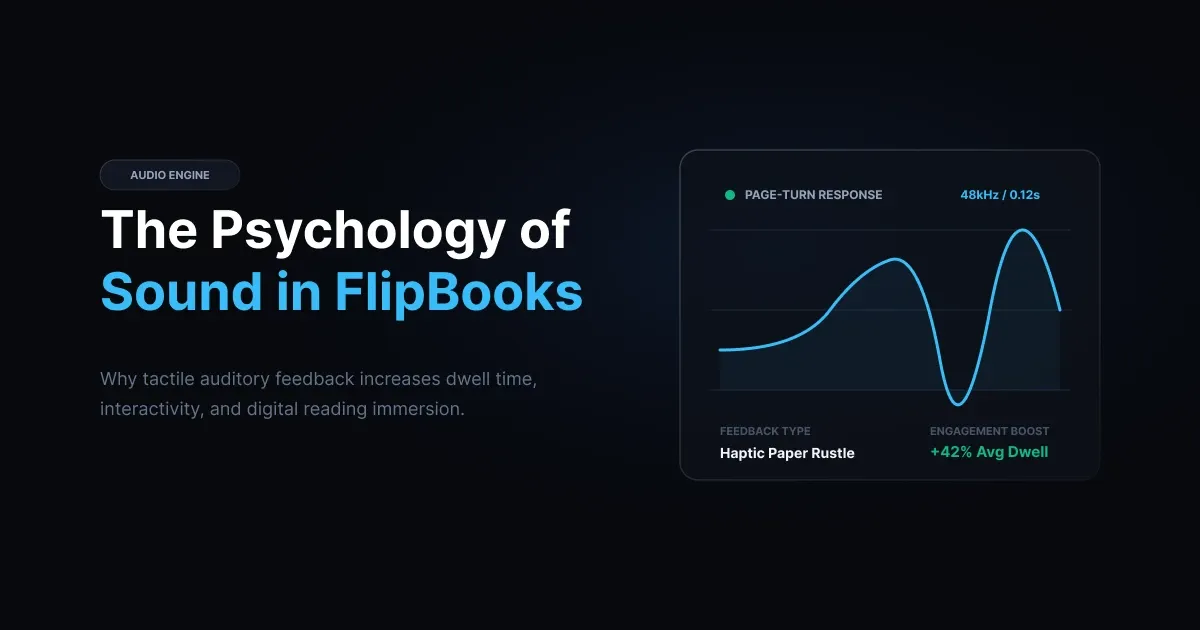
Adding page-turn audio is not necessary for every website, but it can make certain digital publications feel more interactive.
1. Creates a More Immersive Experience
A page-turn sound can make a digital document feel closer to a physical book or magazine. This can be especially useful when the visual presentation is designed around realistic page-flipping effects.
2. Adds Audio Feedback
Sound provides another form of feedback when a visitor interacts with the flipbook. A subtle audio cue can make page navigation feel more responsive.
3. Makes Digital Publications More Interactive
A flipbook with animation and sound can feel more engaging than a basic embedded PDF, particularly for visual publications such as catalogs, brochures, and magazines.
4. Can Improve Presentation Quality
For businesses and creators, a well-designed flipbook can provide a polished way to showcase printed or PDF-based materials online.
However, sound should be used carefully. The goal is to support the reading experience, not distract from the content.
What Are the Downsides of Adding Sound?
A WordPress flipbook with sound also has a few limitations that should be considered before adding audio.
Unexpected Audio
Some visitors may prefer silent reading or may already be listening to music or another audio source. An unexpected sound can be distracting.
Mobile Browser Restrictions
Modern browsers often restrict audible autoplay until the visitor interacts with the page. As a result, a flipbook may not be able to start page-turn audio automatically on every device or browser.
Additional Assets
Audio files add some extra data to the page. A short, compressed sound effect is usually small, but performance can still depend on the flipbook engine, PDF size, number of pages, images, scripts, and other resources.
Accessibility Considerations
Not every visitor wants audio feedback. A visible mute control gives users a simple way to turn the sound off and provides a better overall experience. For these reasons, sound should normally be optional rather than forced.
Does WordPress Support Flipbook Sound by Default?
WordPress supports audio playback through its media features, but it does not provide a realistic page-flip viewer with synchronized page-turn sound as a built-in feature.
If you upload a PDF to the WordPress Media Library and embed or link to it, visitors will normally see a standard document viewer or access the file directly. WordPress core does not automatically turn the PDF into a 3D-style flipbook with page-turn animations and synchronized audio.
To create this type of experience, you generally need a dedicated flipbook plugin or another flipbook solution.
Are There WordPress Flipbook Plugins With Sound?
When choosing a WordPress flipbook with sound, it is important to look beyond basic page-turn effects and compare the audio and presentation features available with each solution.
Depending on the plugin, advanced options such as multiple sound effects, custom audio, sound controls, mobile optimization, and enhanced 3D presentation may be available only with higher-tier plans. For a more polished reading experience, check the plugin’s sound features, reader controls, mobile support, and overall customization options before making a choice.
Before choosing a plugin, check whether it supports the specific features you need, such as:
- Built-in page-turn sounds
- Custom audio files
- Mute and volume controls
- Mobile-friendly navigation
- Touch gestures
- Responsive layouts
- PDF support
- Shortcodes or page-builder integration
- 2D or 3D page-turn effects
A free plugin may be enough for a simple publication, while a premium solution can make more sense when you need greater control over the reader experience.
How to Add a WordPress Flipbook With Sound
Setting up a flipbook is usually straightforward, although the exact process depends on the plugin you choose.
Step 1: Choose a Flipbook Plugin
Start by selecting a plugin that specifically supports page-turn audio. Check its documentation and feature list before installing it. Pay particular attention to mobile support, sound controls, PDF compatibility, and performance.
Step 2: Prepare Your PDF
Make sure your PDF is optimized before uploading it. Large images and unnecessary file data can increase loading time. For online use, a properly compressed PDF can provide a better balance between visual quality and performance.
Step 3: Upload the Document
Install and activate the flipbook plugin, then upload your PDF or supported image files through the plugin interface. Some plugins create a flipbook automatically, while others require you to configure the reader manually.
Step 4: Enable Page-Turn Sound
Look for the plugin’s sound, audio, or flip-sound settings and enable the option. Depending on the plugin, you may be able to choose from built-in effects or upload a custom sound file.
Step 5: Add Sound Controls
Make sure visitors can easily mute or disable the sound. A visible sound icon in the flipbook toolbar is usually the most practical option.
Step 6: Configure Mobile Settings
Test the flipbook on smartphones and tablets. Check whether the page layout, navigation controls, and sound behavior work properly on smaller screens.
Step 7: Publish the Flipbook
Finally, add the flipbook to your WordPress page using the plugin’s shortcode, block, widget, or page-builder integration. Before publishing, test page turning, sound controls, loading speed, and mobile behavior.
How to Choose a WordPress Flipbook With Sound
Not every flipbook plugin provides the same experience. When comparing options, consider these important factors.
Page-Turn Sound Controls
Look for a plugin that allows you to enable, disable, or control page-turn audio. Custom sound support can also be useful when you want the effect to match your publication.
Mobile Responsiveness
The flipbook should be easy to use on phones and tablets. Touch gestures and responsive layouts are especially important for mobile visitors.
Performance
A realistic flipbook can use more resources than a normal PDF embed. Look for optimized rendering and keep both your PDF and audio files reasonably sized.
Reader Controls
Useful controls can include zoom, navigation arrows, fullscreen mode, thumbnails, search, and mute options.
Page Builder Compatibility
If your site uses Elementor or another page builder, check whether the plugin provides a convenient integration method.
Rendering Options
Some advanced plugins provide multiple rendering modes, allowing you to use different approaches depending on browser, device, or performance requirements.
TNC FlipBook 3D: An Example of a Flipbook With Sound
TNC FlipBook 3D is one example of a WordPress flipbook plugin that combines page-turn effects with audio options. Its available features include 3D page-flipping effects, page-turn sound controls, toolbar options, and support for different presentation modes. The plugin also provides integration options for page builders and supports mobile-oriented layouts.
One useful aspect of TNC FlipBook 3D is that sound can be treated as part of the flipbook experience rather than as a separate audio element placed around the document. Depending on the edition and configuration, users can access different sound options and presentation features. This makes it suitable for publications where visual page turning and audio feedback are both important.
However, the right plugin depends on your specific requirements. If you only need a simple PDF viewer with a page-turn effect, a lightweight solution may be enough. If you need more advanced controls, multiple effects, custom sound, or richer 3D presentation, a more feature-rich plugin may be worth considering.
How to Optimize Flipbook Sound for Better Performance
Adding sound does not automatically mean your website will become slow, but it is still important to optimize the overall flipbook.
Use Short Audio Files
Page-turn effects only need to last a short time. Avoid using unnecessarily long audio files.
Compress the Audio
Use a suitable compressed format and keep the file size as small as practical without making the sound noticeably worse.
Optimize the PDF
Large PDF files can have a greater effect on loading performance than a small page-turn sound. Compress large images and remove unnecessary data from the document where possible.
Test on Mobile Networks
A flipbook that loads quickly on a desktop connection may behave differently on mobile networks. Test the page on different devices and connection speeds.
Avoid Forced Audio
Give visitors control over the sound rather than automatically playing loud audio when they arrive on the page.
Monitor the Full Page
Remember that the flipbook is only one part of the page. Other scripts, images, advertisements, fonts, and plugins can also affect overall performance.
When Should You Use a Flipbook With Sound?
A WordPress flipbook with sound can be particularly useful when presentation and interaction are important.
For example, a publisher may use it for a digital magazine, while an online store could use a flipbook to showcase a seasonal catalog. A restaurant could present a visual menu, while a design studio could display a portfolio or lookbook.
On the other hand, a simple PDF may still be a better option when visitors mainly need to download, print, search, or quickly scan a document.
The best format depends on the purpose of the content and the needs of your audience.
Frequently Asked Questions
Can I add page-turn sound to a WordPress flipbook?
Yes. Many dedicated WordPress flipbook plugins support page-turn audio. The available controls vary by plugin, so check whether it supports built-in sounds, custom audio, and mute options.
Does a WordPress flipbook with sound work on mobile devices?
It can, but audio behavior may differ between browsers and devices. Modern browsers commonly restrict audible autoplay until the visitor interacts with the page. After user interaction, the flipbook may be able to play page-turn sounds normally, depending on the browser and plugin implementation.
Can readers turn off the sound?
Yes. A good flipbook implementation should provide a mute or sound-toggle control so visitors can choose whether they want audio.
Do free WordPress flipbook plugins support sound?
Some do. Free plugins can include basic page-turn audio, while advanced sound controls or custom audio options may require a paid version. Always check the plugin’s current feature list before choosing one.
Does page-turn audio slow down a WordPress website?
Audio adds some extra data, but a short compressed sound effect is usually only one part of the flipbook’s total resource usage. The PDF, images, JavaScript, and rendering engine can have a larger effect on performance, so the entire flipbook should be optimized and tested.
Can I use custom sound effects in a WordPress flipbook?
That depends on the plugin. Some flipbook solutions offer built-in sound effects, while others allow custom audio files. Check the plugin documentation to confirm what is supported.
Does TNC FlipBook 3D support page-turn sound?
Yes. TNC FlipBook 3D provides page-turn sound options along with controls that allow sound to be enabled or disabled. The exact features available can vary by edition and configuration.
Final Thoughts
A WordPress flipbook with sound can turn a standard PDF into a more interactive digital publication. Page-turn audio adds another layer of feedback, while animated page transitions can make brochures, catalogs, magazines, menus, and portfolios feel more like physical publications.
However, sound is not automatically better for every website. The most effective setup gives visitors control, works well on mobile devices, uses optimized files, and keeps the focus on the actual content.
When choosing a flipbook plugin, look beyond the page-turn effect itself. Check its audio controls, mobile support, performance, reader features, rendering options, and compatibility with your WordPress setup.
TNC FlipBook 3D is one option worth considering for websites that need a more feature-rich flipbook experience, but your final choice should depend on the type of publication you are building and the level of control you need.
For more WordPress resources, read our guide on how to password protect PDF files in WordPress to learn how to protect sensitive documents. If you run an online store, you can also explore our guide to creating a WooCommerce 3D flipbook for interactive product catalogs and digital publications.